
Please watch the post production video for demonstration and additional details. Please contact support for help and let us know if you have any feedback.
Version 1.103 is now posted on the Beta site. You can use the Beta site to review and test the upcoming changes prior to the actual Live release date. Please let us know if you are interested in Beta testing or have any questions or issues.
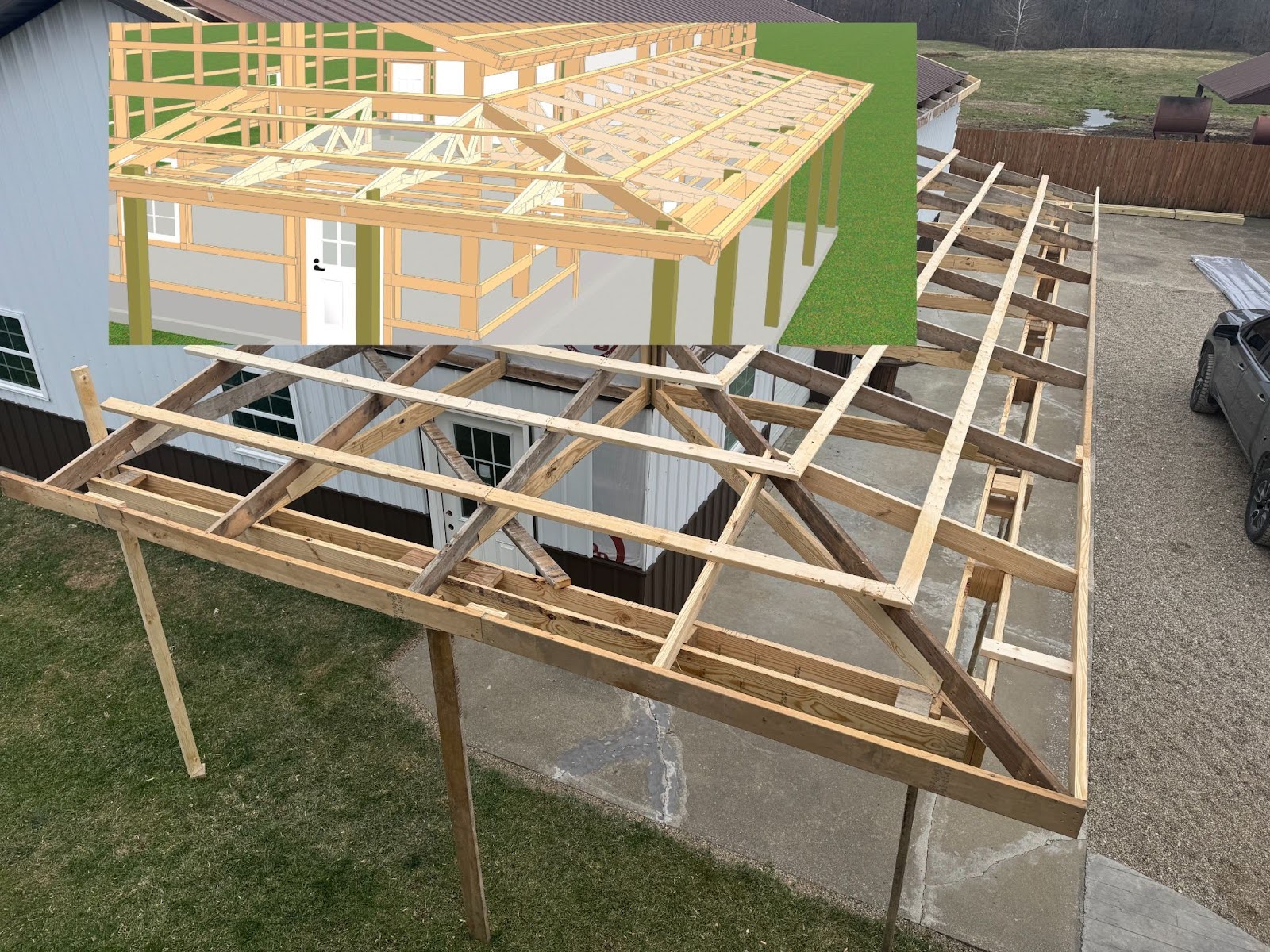
- Structural Single ply truss carriers
- New Truss Carrier Style options of Non-Structural and Single Structural
- Non-Structural is the existing behavior that requires Truss or Rafters to bear on posts.
- Single Structural is new and allows Trusses or Rafters to bear on the Single Truss Carrier
- Decorative Post wraps
- New Post Wrap Trim material can be set up like other trim materials with lengths, pricing and colors
- Note: At this time, no matter the dimensions of the post vs the post wrap, the Post Wrap Trim will completely ‘shrink wrap’ around the post so be careful to select the correct size as it will not visually show a mistake in the 3d model
- Tokens and Calc Bases for lineal footage and number of Post Wrap Trim
- Porch Beam Wrap
- New Beam Wrap Trim material can be set up like other trim materials with lengths, pricing and colors
- Dim 1 is the width of the horizontal piece at the bottom of the beam wrap
- Dim 2 is the width/length of the vertical pieces for both the back and front
- If Dim 2 is zero then only the bottom flat piece will be used
- With flat bottom gable trusses, the return framing for the beam wrap will automatically be placed
- New Beam Wrap Trim material can be set up like other trim materials with lengths, pricing and colors
- Collar Ties for Rafters
- New Collar Tie Framing material can be set up like other framing materials with lengths and pricing
- Knee Braces
- New Knee Bracing Framing material can be set up like other framing materials with lengths and pricing
- Knee braces will only be placed where a truss or rafter connects with a post
- Save defaults for Attached Buildings
- One set of defaults for each of the 4 existing types of attached buildings (Porch, Lean-to, Awning and Attached Building) can now be saved in a job as part of the input
- This is limited by the ‘Edit Distributor’ user permission and the ‘Can Edit Framing Rules’ distributor permission. (If a user/distributor does not have these settings then the Save Defaults is not available)
- This is the first phase of a larger project to allow unlimited custom saved defaults that includes all relevant job questions to be available for Attached Buildings
- Change for when Jamb Post Material is set to ‘Match Post’ and Post Material is set to ‘Auto’
- If the Post Material is set to ‘Auto’ and the Jamb Post Material is set to ‘Match Post’ then the Jamb Post Material will now always match the resulting material of the Post Material Span Tables (and not itself be subject to the Post’s Span Tables)
- Quantities for Trim Assemblies Primary Materials
- For example, the Primary Material in a Trim Assembly for Cedar Post Wrap could use a quantity of 4 individual boards for each face of open posts. This will apply the correct quantities to the material list according to consolidation logic from a single Trim Assembly. If a Post Wrap is a 2 part material then a quantity of 2 can be used.
- Note: This Primary Quantity will not change any Entries calculations
- New Document Tokens and Calc Bases
- # of Outriggers
- # of roof planes
- Lineal footage Bottom Plate, Top Plate, Very Top Plate, Interior Skirtboard, Interior Girt, Interior Top Girt, Base Rail
- A new ‘See Cost’ User permission allows an Admin to hide Job Review Cost information on a user by user basis
- The Job Name column’s width when adjusted in the Jobs list will now be saved
- The Price when editing a job can currenlty be hidden or shown by double clicking on the Job Name, the last state of the price (hidden or visible) will now be saved as a ‘cookie’ so the next time a job is open it will remember which one you prefer
Bug Fixes
- Bug Fix- Roof Edge and Top of wall Trim correct location
- Bug Fix- Parent Loading Table questions are ignored at Child level
- Bug Fix- Slider door truss carrier cuts on the inside of both posts instead of the center
- Bug Fix- Editing Assembly removes usage from Primary Material
- Bug Fix- Time out when update Builders and Starting Models from Framing Rules
- Bug Fix- Error Message when trying to download the TAAS Job File
- Bug Fix- Packages turned off when Taking eModeler jobs
- Bug Fix- Product Systems menu edits Assembly description
- Bug Fix- Unable to download user list from Admin
- Bug Fix- {TrussTypes} Token extra space on document template
- Bug Fix- Can not open the Starting Model folder if it has ‘ or ” character in the folder name
- Bug Fix- NULL in Loading Tables upload
- Bug Fix- Special character (.) in package name error
- Bug Fix- Set Up Wizard Search improvement
- Bug Fix- Cross Section Output Shows Truss Spacing for Rafters in some cases
- Bug Fix- Viewer link not working if logged in to different distributor
- Bug Fix- eModeler- Hidden settings break job Tab
API updates
- API response for Starting Model list resolved